The new Mojo ID sales app for iPhone has arrived for Mojo!
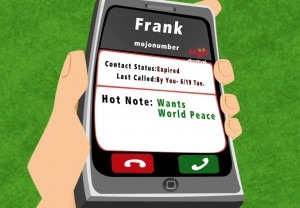
Answering callbacks blindly is hurting your sales conversion. At Mojo, we love solving problems and one such problem was our customers not knowing who it was calling them back after...
Two changes are live in Mojo today, and both are about giving you a clearer view of your own calling: a single Calling Report, and an updated contact rate built the way more than 1,400 of you told us it should be.
Until today, the answers to your calling questions were split across two reports. The Call Detail Report held your individual calls. The Session Report held your dialing sessions. If you wanted the whole story of a morning on the phones, you bounced between the two, each with its own filters, and stitched the picture together yourself.
Contact rate had a quieter problem. It was based on dials. But nobody thinks about their prospecting in dials. You think in people: how many did I try to reach, and how many did I actually get? A dial-based rate answered a question you were not really asking.
The Call Detail Report and the Session Report are now one report, the Calling Report. Everything you rely on today is still there. Your call detail, your sessions, and your recordings live together in one place, with one set of filters.
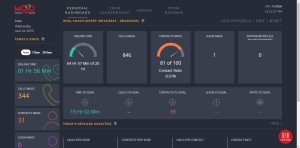
At the top, a summary tells the whole story at a glance: contact rate, total calls, people called, sessions, and talk time. Below it, your calls, your sessions, and your recordings sit one tab apart, searchable and filterable just like before. One report to answer every calling question.
Earlier this year we asked our clients how a contact rate should be measured. More than 1,400 of you responded, and the message was clear: measure people, not dials.
So that is the change. Your contact rate is now based on the people you actually reach out of the people you call. Person-based, not dial-based. The number finally matches the question you were asking all along.
Not everyone counts a contact the same way, and we did not think Mojo should settle that question for you. So there is a setting, right on the report, and the choice is yours.
You can count every live answer: any real person who picks up. Or you can count only calls logged with a contact result: the conversations with the person you meant to reach. Your account, your definition. Your numbers follow whichever you pick.
Because the way the rate is counted changed, your contact rate may look different from the old dial-based number. The calls underneath are the same. What changed is the denominator: people instead of dials, a more honest reflection of how you actually prospect. Your calling did not change; the measurement caught up to how you already think about it.
Both changes are live today. There is nothing to set up and nothing you need to change. The next time you open your reporting, your calls, sessions, and recordings will be in one place, and your contact rate will speak the same language you do: people.
Prefer to open it in YouTube? Watch the Calling Report release video here.
The Calling Report combines the former Call Detail Report and Session Report into one report. A summary at the top shows contact rate, total calls, people called, sessions, and talk time, and your calls, sessions, and recordings sit in searchable, filterable tabs below it.
Contact rate is now person-based rather than dial-based: it measures the people you actually reach out of the people you call. A setting on the Calling Report lets each customer choose which calls count as a contact, and the rate follows that choice.
Yes. A setting right on the Calling Report lets you count every live answer, meaning any real person who picks up, or only calls logged with a contact result, meaning conversations with the person you meant to reach. You pick the definition, and your numbers follow whichever you pick.