Facebook Ads for Real Estate Agents: Start With the Prospects You Already Call
Published: November 6, 2026
Read: 6 min
HomeMojo Dialer BlogFacebook Ads for Real Estate Agents: Start With the Prospects You Already Call
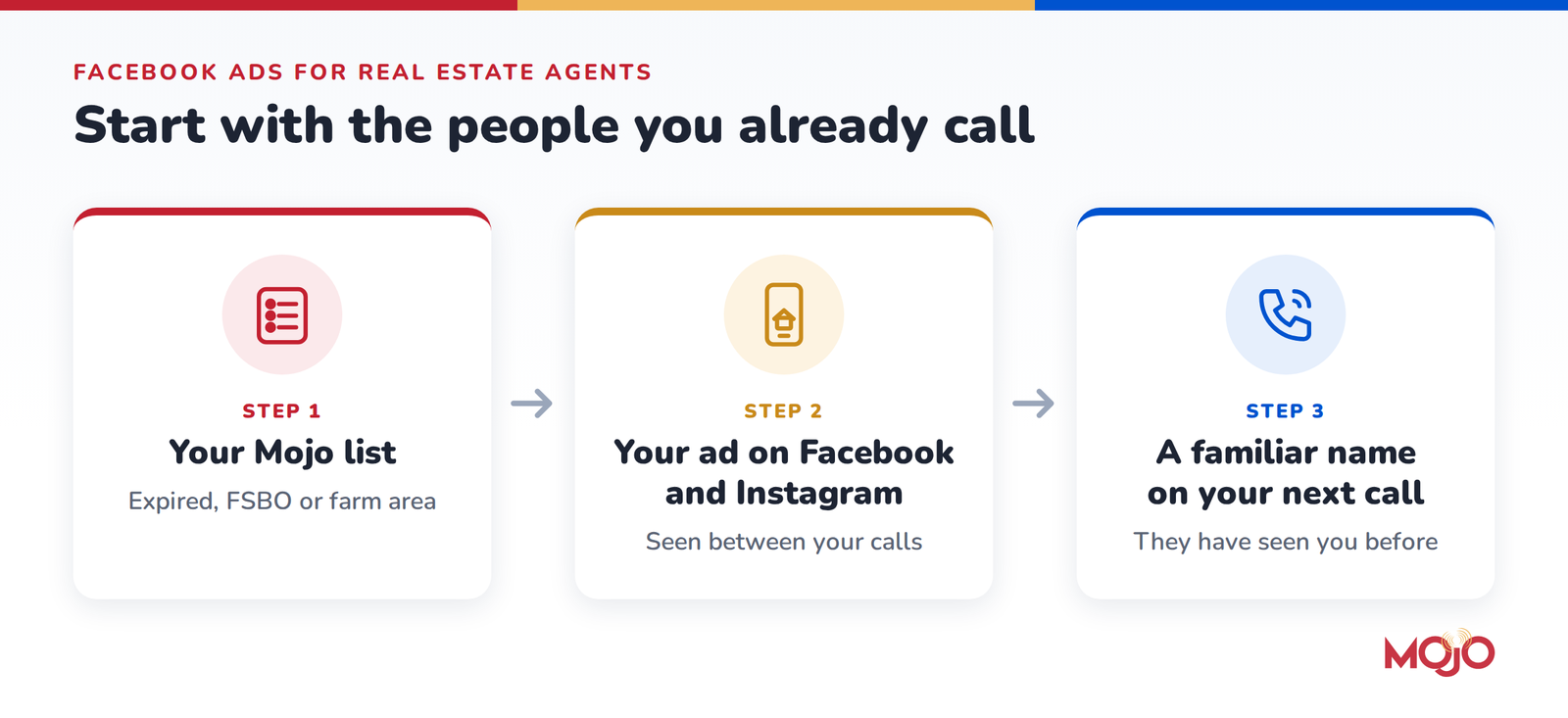
Most advice on Facebook ads for real estate agents starts with a broad audience: everyone within a few miles who might move someday. That works, but it is an expensive way to find people, and you already have a better starting point. The expired, FSBO and neighborhood lists you call every week are full of homeowners you have a reason to talk to, and many of them scroll Facebook and Instagram every day. An ad shown to those same people keeps your name in front of them between calls.
Why a known list beats a broad audience
A broad audience is a guess. You describe the kind of person you want, the platform finds people who roughly fit, and you pay for every impression while it works out who responds. Most of them have never heard of you.
Your own prospect list is different. You know why each person is on it, and you have a second way to talk to them: the phone. A homeowner who saw your market update on Tuesday may recognize your name when you call on Thursday. The budget stays small too: you pay to stay visible to the few hundred or few thousand people you already work, not to strangers. In Meta’s terms this is a Custom Audience, your own list uploaded to your own ad account.
One note: only the people Meta can match to an account will see the ad, so expect part of any list to match.
How to plan simple ads for each list type
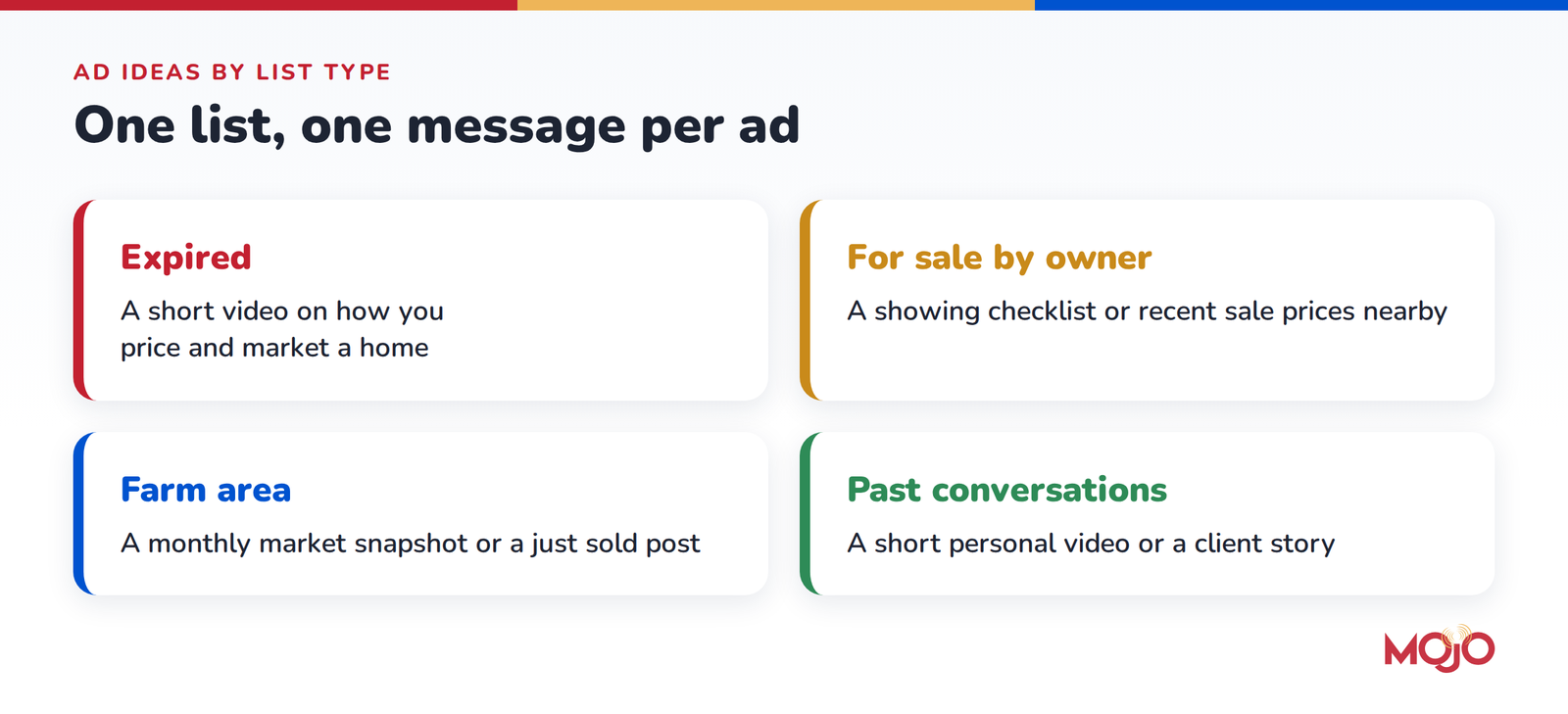
Use one list and one message per ad, and make the ad useful even to someone who does not remember you.
One rule applies to every list: write the ad for anyone in the area, not for the one fact that put the person on your list. “Your listing expired” feels intrusive in a news feed. “Thinking about selling this spring?” or “What homes on the west side sold for in October” does the job without that.
Expired listings
These owners wanted to sell and it did not happen, and many agents are calling them at once. An ad that shows how you work stands out more than another “I can sell your home.” Try a short video on how you price and market a home, or a one-page guide to what to change before relisting.
For sale by owner
FSBO sellers want control and do not want to be sold to. Give them something they can use, like a showing checklist or recent sale prices nearby, and your call later in the week starts from something they have already seen.
Neighborhood and farm lists
For circle prospecting or a farm area, show up as the local agent with a monthly market snapshot or a just sold post. This is how your name becomes familiar before anyone is ready to move.
People you have already talked to
Warm leads and future follow-ups already know you, so a short personal video or a client story is enough to keep you in mind until the timing is right. Run it alongside your follow-up calls (here is how many times to call a lead).
Facebook ads for real estate investors
Investors who call owners about off-market deals can use the same approach. Keep the message plain and local: who you are, that you buy houses in their current condition, and how to get in touch.
Budgeting basics for real estate Facebook ads
You set a daily budget and Meta charges your ad account as the ad runs. A few habits keep the spend in check:
Start with one list and one ad. Pick a daily amount you would be comfortable spending for a month and treat that month as a test.
Size the budget to the list. A list of a few hundred people does not need much per day; spending more on a small list mostly shows the same people the same ad again.
Give it two to four weeks. Delivery is often uneven in the first days while Meta learns how to show the ad.
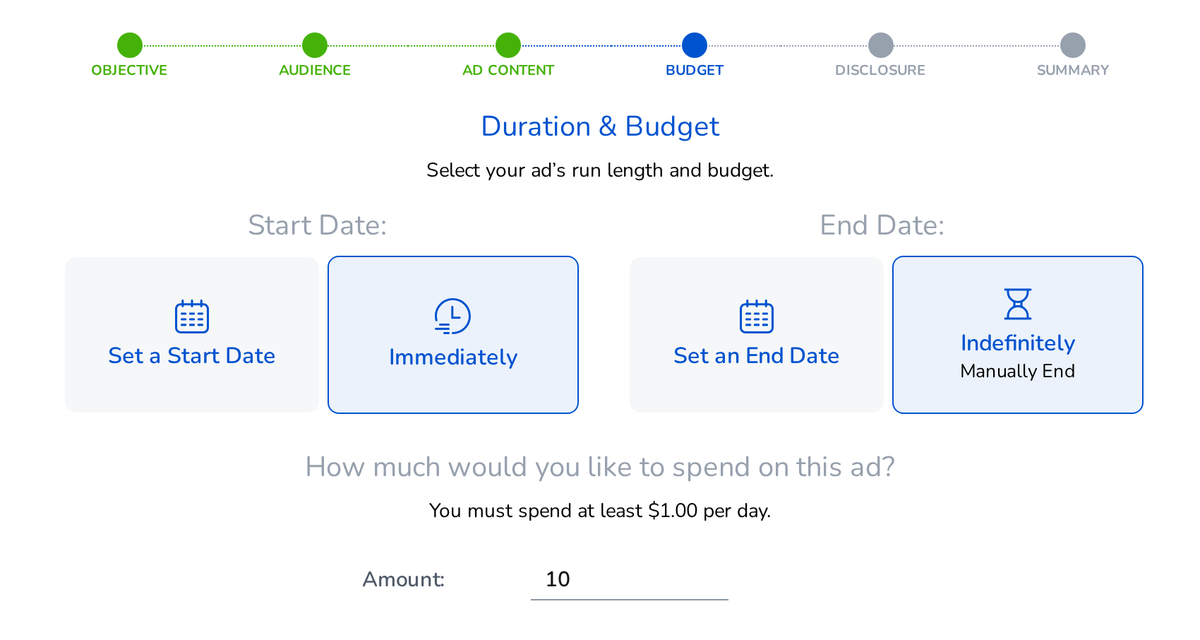
Set an end date, or a calendar reminder to review the ad, so nothing runs for months by accident.
Measuring results that matter
Facebook reports impressions (how often your ad was shown), link clicks and spend. Divide spend by link clicks to see what each website visit cost.
The more useful test is on the phone. While an ad runs to a list, watch that list in your own numbers: conversations, callbacks and appointments. Compare them with the weeks before the ad or with a similar list that had none. If the numbers improve while the ad runs, keep going. If nothing changes after a few weeks, change the message before you raise the budget.
Facebook ads for real estate agents, built inside Mojo
If you prospect with Mojo, you can run these ads without exporting a spreadsheet. Facebook Ads (Beta), under Settings > Integrations > Facebook Ads, connects your Facebook business portfolio, Page and ad account once. Then you build each ad in Mojo:
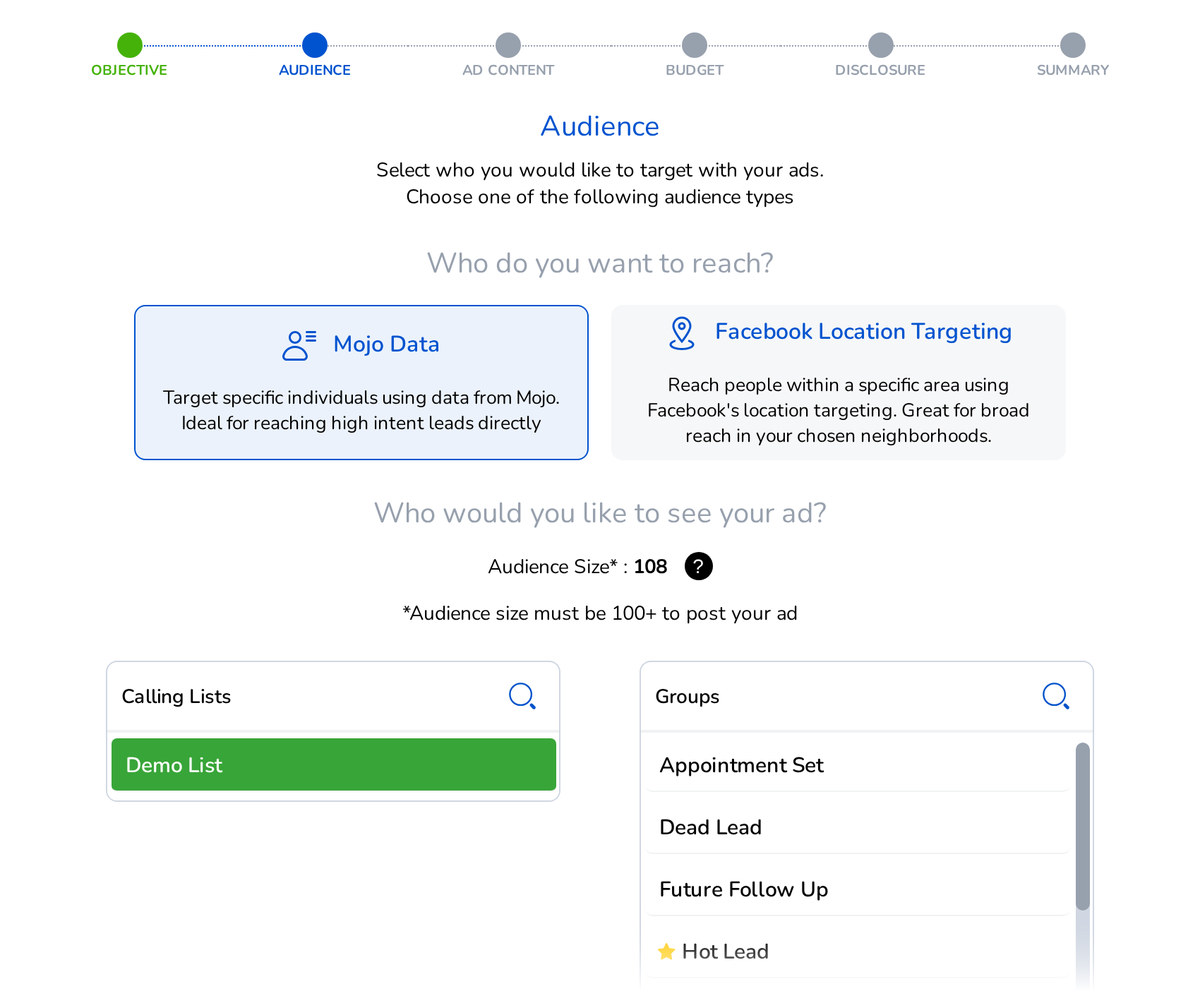
Audience: choose Mojo Data and pick one of your calling lists or groups, imported or filled from Mojo lead services, or choose Facebook Location Targeting and set an area on the map. Mojo sends the contacts to your ad account in hashed form and updates the audience hourly while the ad is active.
Ad content: upload an image or video or use the AI buttons, add your link and a button, and run it on Facebook alone or on Facebook and Instagram.
Budget and review: set a daily budget and the dates, preview the ad and click Submit Ad. Meta reviews every ad before it runs.
Results: impressions, link clicks and spend for the last 7 days, on the same page.
Mojo charges nothing extra for Facebook Ads. The only cost is your ad spend, which Meta bills to your own ad account. You need a business portfolio and Facebook Page created in Meta Business Suite and a payment method on the ad account. Facebook Ads works in the Mojo web app.
Watch a short walkthrough of Facebook Ads in Mojo:
Pick one list, write one useful ad and keep your calls going while it runs.
Frequently asked questions
Does Mojo charge extra for Facebook Ads?
No. Mojo charges nothing extra for Facebook Ads, the AI buttons included. The only cost is your ad spend, which Meta bills to the payment method on your own Facebook ad account.
Will everyone on my list see the ad?
No. Only people Meta matches to a Facebook or Instagram account can see it, and Meta needs at least 100 matched people to deliver the ad.
Can the same ad run on Instagram?
Yes. Turn on Instagram in the ad’s placements. If your Facebook Page has no linked Instagram account, you can agree to an ad-only Instagram profile that uses your Page’s name and picture.
How soon does a new ad start running?
Meta reviews every ad first. The Summary step in Mojo notes that ads are typically active within 24 hours, and it starts no earlier than the start date you set.
Are you looking to increase your real estate listing inventory? One of the keys to success is finding high-quality real estate leads and using solid prospecting strategies. That’s where we...
Never choosing to sit still, last year we set out to change the way agent’s prospect, work and succeed in an ever-increasing mobile environment. We tasked our teams with creating...
Door Knocker: A Game-Changer for Real Estate Agents In an age where digital marketing dominates, face-to-face interaction still reigns supreme in real estate. That’s why Mojo’s Door Knocker feature is...